Short answer
More viewers on Twitch come from people finding you between streams and knowing when to come back. A fixed schedule, a category where you are visible, Clips and short videos on other platforms, and Raids with other streamers do most of the work. All of them are features Twitch gives you for free.
Key takeaways
- Be predictable: the same days and times every week.
- Be visible: a category where your stream is not lost at the bottom of the list.
- Be found: Clips and short videos bring people in between broadcasts.
- Be connected: Raids and chat turn one-time viewers into regulars.
1. Stream on a schedule
A viewer who liked your stream needs to know when the next one is. Pick days and times you can keep, put them in your Twitch schedule, and repeat them in your panels and social posts. Streaming at the same time also helps with the Affiliate goal of an average of 3 viewers, because followers come back together.
2. Pick a category you can be seen in
In the biggest categories a new stream sits far down the directory. A smaller category, or a niche inside a game, puts you higher on the list people actually scroll. Try a few and keep the one where viewers stay.
3. Write a title that says what happens
“First try at the final boss” tells a passer-by more than “Chill stream”. Name the goal of the stream, keep it short, and update it when the goal changes. If you are short of ideas, the content idea generator suggests topics, and the character counter keeps titles and posts within each platform’s limit.
4. Turn streams into Clips
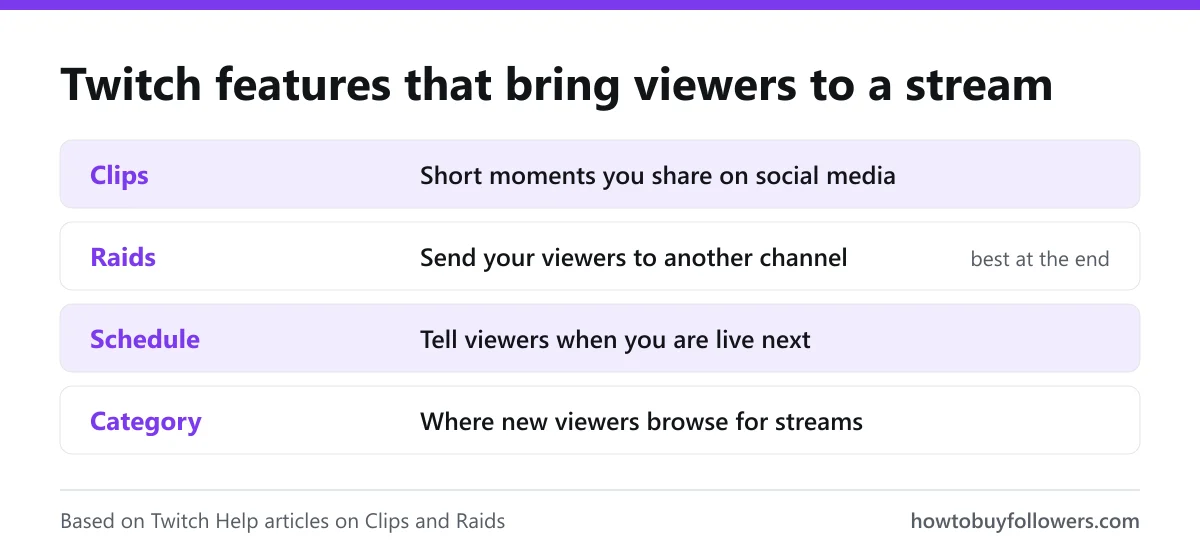
Twitch Help describes Clips as a way to capture and share your best moments, and suggests posting them to social media so new viewers see what your channel is about. Each clip gets a portrait version for phones, cropped to keep your camera and gameplay in frame.
5. Post short videos on other platforms
Those portrait clips fit TikTok, YouTube Shorts and Instagram Reels, where people discover streamers between broadcasts. Our TikTok video views, YouTube views and Instagram Reels views pages cover those formats, and the TikTok hashtag generator gives tags for the clips you post there.
6. Use Raids
At the end of your stream, a Raid sends your viewers to another live channel, and the target chat sees how many raiders arrived. Streamers who raid each other build a small network: when they end their streams, they send their viewers to you.
| Feature | What it does | When to use it |
|---|---|---|
| Schedule | Shows when you are live next | Always, kept up to date |
| Clips | Shares a short moment, with a portrait version | After every stream |
| Raids | Sends your viewers to another channel | At the end of a stream |
| Category | Places you in a directory | Before going live |
7. Talk to the chat, even when it is quiet
Someone who arrives in a silent stream leaves; someone greeted by name often stays. Read the chat out loud, ask questions, and keep talking when nobody writes, so the stream is worth watching for the next person who arrives.
8. Start with a full room
A stream with people already watching is easier to join. Our Twitch live viewers join once your broadcast has started, for the length of the package, and the followers for your Twitch channel page covers your follower count. We only ask for your public channel link: see why we never ask for your password. How we compare on price is on the price comparison, and refills follow the refill policy.
If you stream on TikTok as well
The same service exists for TikTok LIVE as TikTok live viewers.
Based on Twitch Help, 18 November 2026
The features above are described from Twitch’s own help pages. Twitch decides how streams are ranked in its directory.Keep reading
Frequently asked questions
Stream at fixed times, pick a category where your stream is visible, and post short clips of your streams on other platforms so new people find you between broadcasts.
They can. Twitch Help suggests posting clips of your top stream moments to social media to show new viewers what your channel is about, and creates a portrait version of each clip for mobile.
A Raid sends your viewers to another live channel at the end of your stream. The target channel sees a chat message with the number of raiders, which is a common way for streamers to support each other.
An average of 3 viewers on 4 stream days within the last 30 days, with 25 followers, 4 hours of streaming and 4 stream days, according to Twitch Help on 18 November 2026.
Sources